
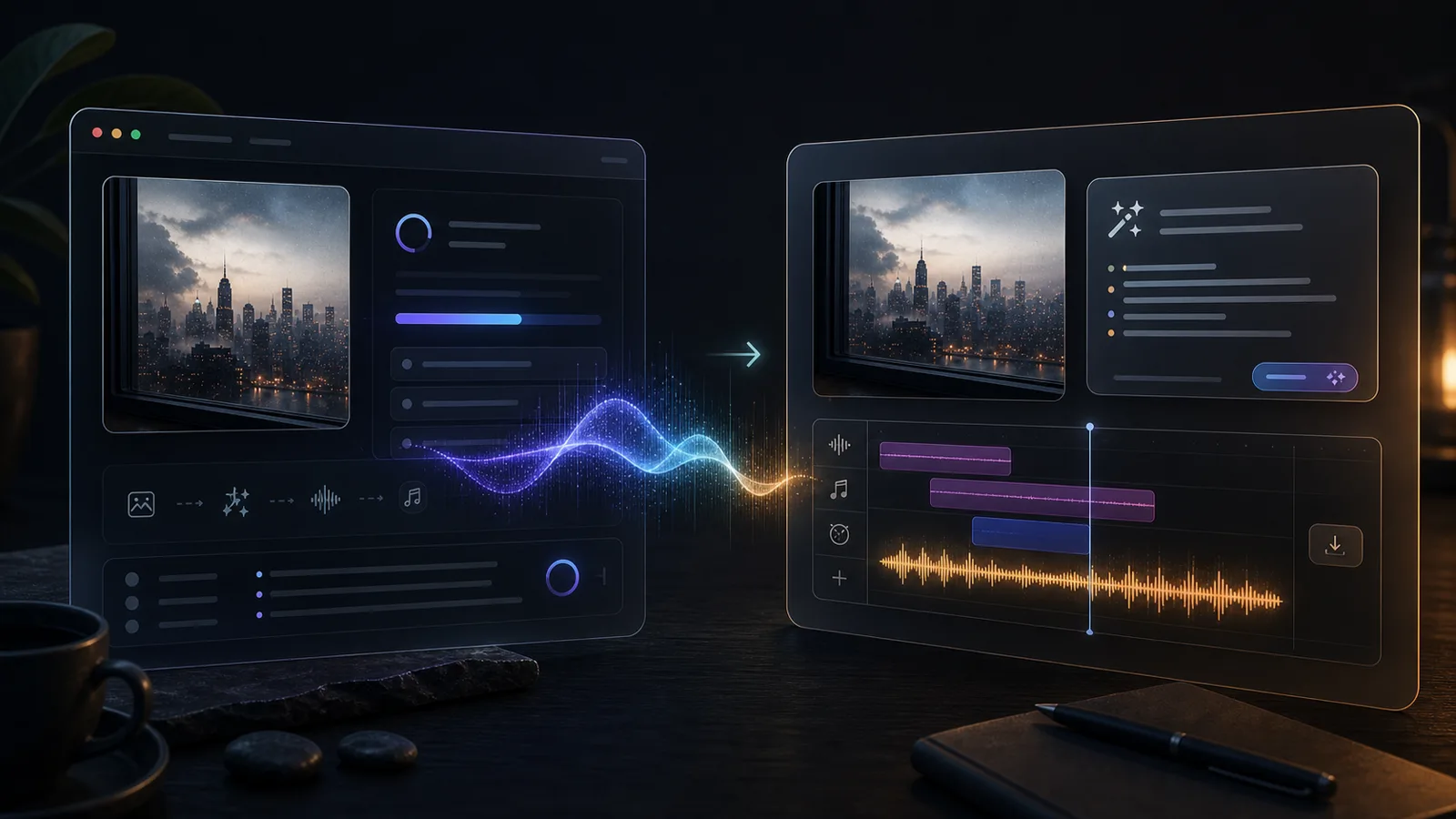
Image to Music V2 shows the idea: turn a visual input into an audio direction. The harder part is making that workflow useful for real creator projects.
What Is Image to Music V2 — and Why Are People Searching for It?
If you searched for "image to music v2," you're most likely looking for a specific demo hosted on Hugging Face Spaces. It's a community-built experiment that takes an image as input and generates a short audio clip meant to match the visual mood.
The demo is real. It works — sometimes. But it's not a commercial product, and it wasn't designed for everyday creative use. It's a proof of concept showing that AI can bridge visual and audio modalities.
This guide will walk you through what Image to Music V2 actually is, how the underlying technology works, where demos like this are genuinely useful, where they break down, and what options exist if you need something more practical for content creation.
Key Takeaways
- "Image to Music V2" is a community demo on Hugging Face, not an official product or industry standard.
- It demonstrates that AI can interpret visual features and generate corresponding audio.
- Demos are great for experimentation but often lack reliability, speed, and output quality for real projects.
- Productized tools like ImageToMusicAI.com offer a more stable workflow for creators who need downloadable, usable audio.
- No current tool gives you full fine-grained control over the generated music — set expectations accordingly.
What Is Image to Music V2?
Image to Music V2 is a Hugging Face Space — essentially a web-hosted demo — that lets you upload an image and receive a generated audio clip. The "V2" likely refers to an iteration on an earlier experiment by the same creator or community.
Under the hood, it typically works in two stages:
- Image captioning or embedding: The image is processed by a vision model (like BLIP or CLIP) to extract a text description or a vector representation of its content and mood.
- Music generation: That description or embedding is passed to a music generation model (like MusicGen) to produce an audio clip.
The result is a short piece of music that attempts to match the mood, color palette, or subject matter of the image.
What It Is Not
- It is not an official Google, Meta, or OpenAI product.
- It is not a production-grade tool with uptime guarantees.
- It does not give you control over genre, tempo, instrumentation, or duration in most cases.
- It does not always produce usable output.
Why Do People Search for Image to Music V2?
The search term "image to music v2" isn't a category — it's a breadcrumb. People land on it through different paths, and understanding which path you're on matters because the right next step is completely different for each.
You saw it on social media or Reddit. Someone posted a clip of an AI turning a photo into a soundtrack. It looked like magic. You searched the exact name to find the tool. This is the most common path. The demo exists on Hugging Face, but it runs on shared GPU resources — it may be live, queued, or offline entirely when you arrive. If it's down, that's not a bug. Free Spaces have no uptime commitment.
You want to learn how this works. You're less interested in one specific demo and more curious about the technology: how does AI look at an image and produce audio? This article covers the two-stage pipeline (vision model → music model) in the section above. If you want to go deeper, the key terms to research are CLIP embeddings, BLIP-2 captioning, and Meta's MusicGen architecture.
You need a working tool, not an experiment. You're editing a travel vlog, building a client pitch deck, or posting a photo series on Instagram — and you need music that matches the visual mood. You don't care about the model architecture. You care about whether the tool is online, whether the output is usable, and whether you can download it. This is where demos and products diverge, and it's worth understanding exactly how.
Hugging Face Demos vs. Productized Image-to-Music Tools
Hugging Face Spaces are invaluable for the AI community. They let researchers and hobbyists share working prototypes without building full products. But there's a meaningful gap between a demo and a tool you can rely on — and the gap is wider than most people expect before they actually try to use a demo for real work.
The core issue isn't quality. On a good run, a Hugging Face demo can produce surprisingly compelling output. The issue is everything around the output: Can you get to it when you need it? Can you iterate quickly? Can you download the result in a usable format? Can you do this at 11 PM the night before a deadline?
Here's how the two categories compare across the dimensions that matter most to creators:
| Dimension | Hugging Face Demos | Productized Tools (e.g. ImageToMusicAI) |
|---|---|---|
| Availability | Subject to GPU quota limits and cold-start queues; may go offline without notice | Managed infrastructure; generally available on demand |
| Generation speed | Varies widely — 30s to 2min+, may timeout under heavy load | Generally faster due to dedicated resources, though speed varies by model and load |
| Output quality | Experimental; quality can vary significantly between runs | Tends to be more consistent due to tuned model settings, but still AI-generated |
| Prompt control | Image-only input in most cases | Supports image + text prompt combined in some tools |
| Download | Sometimes available; format varies (wav/mp3/ogg) | Standard audio download (typically mp3) |
| Multiple generations | Usually one at a time, re-queue each attempt | Some tools support generating multiple variations for comparison |
| Iteration workflow | Manual re-upload and wait in queue | Adjust prompt and regenerate without re-queuing |
| Target user | Researchers, hobbyists, curious explorers | Content creators, marketers, everyday users |
| Cost | Free when online | Often free tier with limits; paid plans for higher usage |
A practical way to think about it: if you're evaluating the technology — seeing whether image-to-music is even viable for your use case — start with the demo. It costs nothing and you'll learn a lot about what these models can and can't do. But if you've already decided you want this capability in your workflow, the demo will frustrate you. The queue times, the cold starts, the occasional 502 errors — they compound when you're trying to iterate on a real project.
Step by Step: How to Turn an Image into Music
Regardless of which tool you use, the general workflow follows the same five steps: Choose Image → Add Text Prompt → Generate → Listen & Iterate → Download. Most of your time will be spent in the loop between steps 2–4. The first generation is rarely the final answer.
Step 1: Choose Your Image
This step matters more than most people realize. The AI doesn't "see" your image the way you do — it processes it through a vision model that extracts features like dominant colors, detected objects, scene type, and estimated mood. The clearer those signals are, the better the music output.
What works well: Images with a single dominant mood. A foggy forest trail reads as "calm, mysterious." A neon-lit Tokyo alley reads as "energetic, urban, nocturnal." A golden-hour beach reads as "warm, peaceful." These are unambiguous inputs that give the model a clear direction.
What produces mediocre results: Images where the mood is split or unclear. A busy family dinner photo has warmth, chaos, conversation, food, and motion all competing for attention. The AI doesn't know which signal to follow, so the output tends to be generic. Similarly, screenshots, infographics, or images with heavy text overlays give the vision model almost nothing useful to work with.
A useful test: If you can describe the mood of your image in three words or fewer, it will probably produce a good result. If you need a paragraph to explain what the image feels like, consider cropping to the strongest visual element or choosing a different photo.
Step 2: Add a Text Prompt (If Supported)
Some tools, including ImageToMusicAI.com, let you pair your image with a text description. This is the single most effective way to improve your results — it bridges the gap between what the AI sees and what you actually want.
Without a prompt, you're trusting the model's interpretation entirely. It might read your cozy cabin photo as "rustic folk" when you wanted "lo-fi chill." The text prompt is your steering wheel.
Prompts that work well describe mood, energy, and instrumentation in plain language:
- "Acoustic guitar, warm and nostalgic, slow" — for a family photo or autumn landscape
- "Dark ambient synth, tension building" — for a moody architectural shot
- "Upbeat ukulele, bright and playful" — for a colorful street market photo
- "Solo piano, melancholy, sparse" — for a rainy window or empty room
Prompts that don't help: "Make it sound cinematic" (too vague), "A minor, 120 BPM, 4/4 time" (too technical for most tools), "Something cool" (zero information).
A good rule of thumb: describe how you want the listener to feel, not the technical properties of the music.
Step 3: Generate and Listen
Run the generation and listen to the full clip before judging. This matters because AI-generated music doesn't always distribute its quality evenly — some clips start weak and find a groove 8 seconds in, while others open strong and dissolve into repetition. A 3-second preview will mislead you.
If the overall mood is right but one element is off — say the melody is good but the rhythm feels wrong — that's a prompt problem, not a tool problem. Adjust your prompt in the next iteration.
Step 4: Iterate
This is where the real work happens. Your first generation is a starting point, not a deliverable.
A productive iteration session looks like this: generate with your initial prompt, listen, identify what's off, adjust one variable (prompt wording, image crop, or both), regenerate. Three to five rounds usually surfaces at least one track that works. Changing too many variables at once makes it hard to learn what's improving the output.
If you're getting consistently poor results after 5+ attempts, the issue is almost always the image. Switch to a different photo before burning more time on prompt tweaking.
Step 5: Download
Once you have a track you're satisfied with, download the audio file. Before using it in published content, check two things: the audio format (mp3 is safest for cross-platform use) and the license terms (commercial use permissions vary by tool and may differ between free and paid tiers).
When Image-to-Music Works Well — and When It Doesn't
It Works Well When:
- The image has a clear emotional tone. A moody landscape or an energetic action shot gives the AI strong signals to work with.
- You're looking for background music, not a hit single. The output is best suited as ambient accompaniment, not a standalone composition.
- You're willing to iterate. Generating 3–5 variations and picking the best one is a normal workflow.
- You combine image and text input. Giving the AI both visual and verbal context improves relevance.
It Doesn't Work Well When:
- You need precise musical control. You cannot reliably specify key, time signature, chord progression, or exact instrumentation.
- The image is abstract or ambiguous. If a human can't agree on the mood of the image, the AI won't either.
- You expect studio-quality production. Output quality has improved, but it's not at the level of a professional composer.
- You need a specific duration. Most tools generate clips of fixed length. Editing for duration usually requires a separate audio tool.
Best Use Cases for Creators
Image-to-music isn't for every audio need. It's for a specific slice of the creator workflow where visual mood is the starting point and "good enough, fast" beats "perfect, slow." Here's where it delivers real value:
Short-form video (Reels, TikToks, Shorts). You have 15–60 seconds of footage and need a background track that matches the vibe. You don't want to spend 30 minutes browsing a stock music library. Upload a representative frame from the video, add a prompt like "chill lo-fi, laid-back energy," and you have a mood-matched track in seconds. This is the single highest-value use case.
Photo slideshows and montages. Wedding galleries, travel recaps, portfolio walkthroughs — anywhere you're presenting a sequence of images and want continuous atmospheric audio. Pick the image that best represents the overall mood of the set, generate a track, and use it as the backdrop.
Moodboards and pitch decks. If you're presenting a creative concept to a client or team, adding audio to a visual moodboard makes the concept tangible in a way that images alone can't. It's a small touch that disproportionately improves how a presentation lands.
Prototyping before commissioning. You know you'll eventually hire a composer or license a professional track, but you need a placeholder now to test the edit, get stakeholder feedback, or set the pacing. AI-generated music is ideal for this — it's fast, free or cheap, and disposable without guilt.
Personal keepsake projects. Turning a meaningful photo — a childhood home, a late relative's portrait, a favorite travel memory — into a personal soundtrack. This is a quieter use case, but it's one where people often find the output genuinely moving.
Where it falls short: Long-form video (10+ minutes), anything requiring precise beat-to-cut sync, broadcast or advertising where music licensing needs to be airtight, and any situation where you need the same track to work across multiple very different visual contexts.
Best Image to Music V2 Alternatives
If the Hugging Face demo doesn't meet your needs, the right alternative depends on what you're optimizing for. Here's a quick decision framework:
| If you are... | Consider using | Why |
|---|---|---|
| Curious about the technology | Hugging Face demo | Free, no setup, useful for one-off exploration |
| A creator who needs usable audio now | ImageToMusicAI.com | Designed for non-technical users; supports image + text input |
| A developer building a custom pipeline | MusicGen + BLIP/CLIP | Open-source, maximum flexibility, requires technical setup |
| Looking for royalty-free music without image input | Mubert or Soundraw | Established platforms with clearer licensing terms |
A few things worth knowing about each:
ImageToMusicAI.com is the closest direct alternative if what you liked about the Hugging Face demo was the image-in, music-out workflow. The key differences are that it supports combined image + text prompts, lets you generate multiple variations to compare, and provides a standard download. It's designed for people who want to use image-to-music as a regular part of their workflow, not just try it once.
MusicGen (Meta) is the right choice if you're technical and want full control. It's a text-to-music model, not an image-to-music tool — but you can chain it with BLIP or CLIP to build your own pipeline. The trade-off is significant: you need a Python environment, a GPU (or patience with CPU inference), and comfort with model configuration. The output quality can be excellent, but the setup time is measured in hours, not minutes.
Mubert and Soundraw aren't image-to-music tools at all — they generate music from text prompts or template selections. They're worth mentioning because some people searching for "image to music" actually just want AI-generated background music and don't specifically need image input. If that's you, these platforms are more mature and have clearer commercial licensing. The trade-off is that you lose the visual-to-audio connection entirely.
What none of these tools do: Give you the control of a DAW. If you need to specify exact tempo, key, chord progressions, or arrangement structure, you're looking for a different category of tool — or a human composer.
Common Mistakes and How to Fix Them
Most poor results come from a handful of repeatable errors. Here's what to watch for:
| Mistake | Why It Happens | Fix |
|---|---|---|
| Low-quality or cluttered image | AI extracts mood from visual features; visual noise dilutes the signal | Use high-contrast photos with a clear subject and identifiable mood |
| Vague text prompt | Generic instructions give the model little direction | Be specific about mood, instrument, energy — e.g. "warm acoustic guitar, slow pace" |
| Expecting perfection on first generation | Generative AI is probabilistic; results vary each run | Generate 3–5 variations and select the best fit |
| Skipping the text prompt field | Image-only generation relies entirely on the AI's interpretation | Use both image and text input when the tool supports it |
| Publishing without checking license | Different tools have different commercial-use policies | Verify licensing terms before any public or commercial use |
If your results still feel off after addressing these, the issue is usually the image itself. Try a different photo with stronger visual mood before changing anything else.
Frequently Asked Questions
Is Image to Music V2 free?
The Hugging Face demo is free when it's online. However, availability is inconsistent. Productized alternatives may offer free tiers with usage limits or paid plans for higher volume.
Can I use the generated music commercially?
It depends on the tool. Hugging Face demos built on open-source models may have permissive licenses, but you should verify. Tools like ImageToMusicAI.com have their own terms — check before publishing.
How long are the generated audio clips?
Most tools produce clips between 10 and 30 seconds. Some allow longer generation. If you need a specific duration, you may need to trim or loop the output in an audio editor.
Does the AI actually "understand" my image?
Not in the way a human does. It extracts statistical features — color distribution, detected objects, scene classification — and maps them to musical characteristics. The results can feel surprisingly accurate, but it's pattern matching, not comprehension.
Can I control the genre or instruments?
With image-only input, you have very limited control. Adding a text prompt lets you suggest genre and instrumentation, but results are not guaranteed. No current tool offers full compositional control from an image.
What image formats are supported?
Most tools accept JPG and PNG. Some also support WebP. RAW files and PDFs are generally not supported.
Is this the same as AI music generation from text?
Related but different. Text-to-music starts from a written description. Image-to-music adds a visual analysis step before the music generation. The music generation model underneath is often the same.
Will image-to-music replace human composers?
No. It's a different tool for a different use case. It's useful for quick, mood-matched background audio. It cannot replace the intentionality, narrative structure, and emotional depth of human composition.
Conclusion
"Image to Music V2" started as a Hugging Face experiment, and it did something genuinely interesting: it showed that AI can create an audio response to a visual input. That's worth appreciating.
But if you're a creator who needs reliable, downloadable music that matches your visual content, a demo isn't a workflow. You need a tool that's available when you need it, produces consistent quality, and lets you iterate until the result fits your project.
That's the gap that productized tools are designed to fill. If you want to try the approach without setting up a technical pipeline, ImageToMusicAI.com is built for exactly that kind of use.